
In this guide, you'll learn:
- What Qwen3.8 Flash Next is and how it differs from Qwen 3.8 27B and Qwen 3.8 Max
- What hardware you need to run it
- How to run Qwen3.8 Flash Next locally with Atomic Chat or llama.cpp
If you want the full Qwen lineup from 0.8B up, see our guide to running Qwen models locally. This article is only about Qwen3.8 Flash Next.
On a 64 GB Mac, start with AD-3.84bpw-IQ4_XS-M64. Use AD-4.27bpw-Q4_K_M-M64 on an 80 or 96 GB Mac. A 24 GB GPU runs the same build with at least 96 GB of system RAM.
What is Qwen3.8 Flash Next?
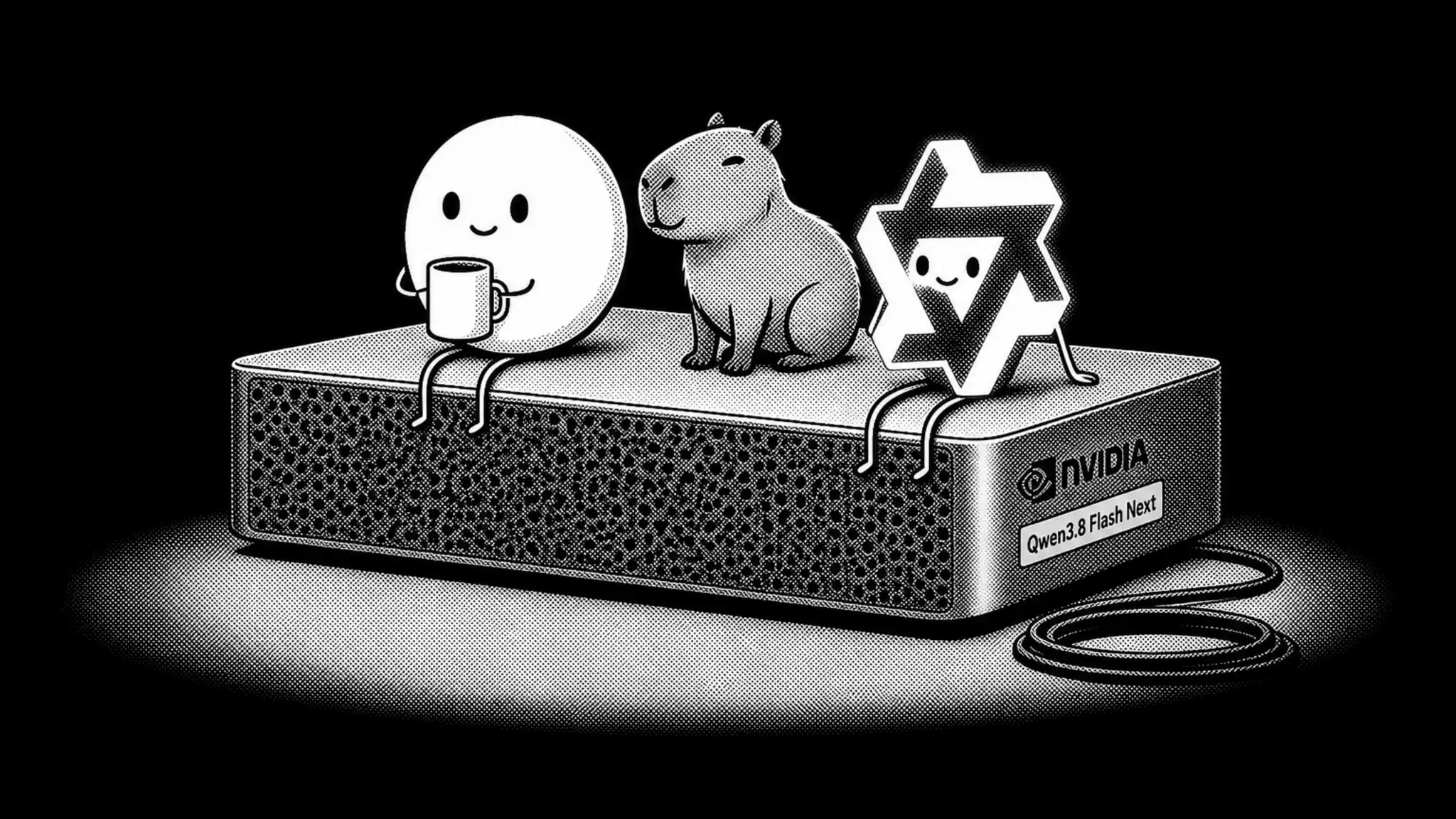
Qwen3.8 Flash Next is an open-weight Mixture-of-Experts model developed by Alibaba's Qwen team, and an early preview of the architecture behind Qwen4. Alibaba published the weights on August 26, 2026, twelve days after Qwen 3.8 27B. The hosted Qwen3.8-Flash on Alibaba's API is the served version of the same model; Flash Next is the checkpoint you download.
Qwen3.8 Flash Next main specs:
| Specification | Qwen3.8 Flash Next |
|---|---|
| Total parameters | 125B, plus 51B n-gram embeddings and a 4B MTP head |
| Active parameters per token | 6B |
| Architecture | MoE, hybrid attention (Gated DeltaNet + Qwen Sparse Attention) |
| Experts | 512 routed, 10 active per token, plus 1 shared |
| Layers | 48 |
| Context window | 262,144 tokens native, extensible to 1M |
| Modalities | Text, image, and video input |
| Reasoning | Thinking on by default, with xhigh, medium and low effort levels, can be switched off |
| Multi-Token Prediction | Supported, head included in the checkpoint |
| Release date | August 26, 2026 |
| License | Qwen Community License 1.0 |
Flash Next activates 6B of its 125B parameters per token, so compute per generated token is close to a much smaller dense model, while memory still has to hold the full file. The download is bigger than 125B, though: the repository reports about 180B parameters. The extra 55B is a lookup table of n-gram embeddings plus the 4B Multi-Token Prediction head. The table stores ready-made representations for frequent two- and three-token sequences; reading it costs almost no compute, and Qwen notes it is easier to offload than the expert weights. We'll put numbers on this in the hardware section.
The Multi-Token Prediction head lets the model draft several tokens per forward pass. That's the same mechanism behind speculative decoding.
The Qwen 3.8 lineup now spans four different models, and they're easy to confuse:
- Qwen 3.8 Max is the 2.4T-parameter MoE flagship with 95B active parameters, served through the Alibaba Cloud API.
- Qwen3.8-2.4T-A95B is the downloadable version of Max. It's text-only, reasons on every request, and at 2.4 trillion parameters it takes a multi-GPU datacenter cluster to serve, the same class of hardware as Kimi K3.
- Qwen 3.8 27B is the dense vision-language model that fits on a 24 GB GPU or a 32 GB Mac. We cover it in a separate guide to running Qwen 3.8 27B locally.
- Qwen3.8 Flash Next is the new-architecture MoE this guide is about: too big for a gaming GPU, and a comfortable fit for anything from a 64 GB MacBook to a 128 GB workstation.
Qwen3.8 Flash Next benchmarks
The table below puts Flash Next next to its dense sibling, the local models in its class, and Claude Opus 4.6 Max as the frontier reference. Every open model's score comes from its own vendor; the Opus numbers are Qwen's measurements from the launch table:
| Benchmark | Qwen3.8 Flash Next | Qwen 3.8 27B | DeepSeek V4 Flash | Laguna S 2.1 | Claude Opus 4.6 Max |
|---|---|---|---|---|---|
Params | 125B MoE (6B active) | 27B dense | 284B MoE (13B active) | 118B MoE (8B active) | API model |
4-bit GGUF size | 92.9 GB | 17.1 GB | ~155 GB | ~73 GB | - |
DeepSWE 1.1 Agentic coding | 58.7 | 42.2 | 54.4 | 40.4 | - |
Toolathlon Verified Long-horizon tools | 73.5 | 67.1 | 70.3 | 49.7 | - |
SWE-bench Pro Harder engineering | 62.5 | 61.7 | - | 59.4 | 53.4 |
SWE-bench Multilingual Multilingual engineering | 81.0 | 73.8 | - | 78.5 | 77.5 |
NL2Repo-Bench Repo-level coding | 48.1 | 42.3 | 54.2 | - | 47.6 |
Terminal Bench 2.1 Terminal agents | - | 73.0 | 82.7 | 70.2 | 78.2 |
On Qwen's own launch table, Flash Next also comes out ahead of Claude Opus 4.6 Max on eight of the nine language benchmarks where both report scores. An Opus-level model now runs on a 64 GB MacBook.
Every lab runs its own eval setup, so small gaps between columns don't mean much. A hyphen means the vendor didn't publish that number for its latest build: DeepSeek reports only agentic benchmarks on the 0731 card, Laguna's label for its 59.4 is SWE-Bench Pro on the public dataset, and the Opus hyphens are rows Qwen didn't measure. The DeepSeek and Laguna GGUF sizes are the unsloth 4-bit builds; the 27B size is our AD-Q4_K_M.
The direct rival is DeepSeek V4 Flash: a 284B MoE with 13B active parameters, released a month earlier, and the model Qwen's own card measures against. In the table above, DeepSeek keeps Terminal Bench 2.1 and NL2Repo-Bench; Flash Next leads on the other rows. Flash Next is also the smaller download at every quality tier: 92.9 GB at 4-bit against DeepSeek's 155 GB, and only 54.5 GB of it has to sit in memory.
Flash Next has no direct predecessor in the open lineup: it previews the architecture the Qwen4 family will be built on, and Qwen says this early release is deliberate, so the community can examine the changes before Qwen4 lands. Against the hosted Qwen3.7-Plus, the card claims training cost about one ninth as much. If your machine is a 24 GB card, the dense 27B remains the stronger pick for local coding; Flash Next is the better model when you have the memory for it.
Qwen3.8 Flash Next GGUF: we quantized it ourselves
We built the AtomicChat Qwen3.8 Flash Next GGUF repository from Qwen's original BF16 weights, then measured every build against the unquantized reference. The repository holds three builds from 84.9 to 110.5 GB, plus the vision projector, a separate file shared by all of them. The AD prefix stands for Atomic Dynamic, and the number in each name is the build's measured bits per weight: the experts, the n-gram table and the attention layers sit at different widths, so the name carries the real average. Every build is split so that one shard holds nothing but the n-gram table, which is what lets the table stay on SSD.
| File | In memory | On SSD | Total | KL divergence | Top-1 match |
|---|---|---|---|---|---|
| AD-3.84bpw-IQ4_XS-M64 | 45.8 GB | 39.1 GB | 84.9 GB | 0.2277 | 82.68% |
| AD-4.27bpw-Q4_K_M-M64 | 54.5 GB | 38.4 GB | 92.9 GB | 0.0842 | 89.49% |
| AD-5.00bpw-Q5_K_M-M64 | 56.1 GB | 54.4 GB | 110.5 GB | 0.0837 | 89.55% |
How to read the table: KL divergence measures the distance between the quant's output distribution and the original weights. Lower values are better, and zero means identical. Top-1 match is the percentage of positions where the quant selects the same next token as the reference. In memory is what actually has to sit in RAM or VRAM; the rest of the file pages from SSD. For a single summary measure, use top-1 match.
AD-4.27bpw-Q4_K_M-M64 is the one to take: it matches the 5.00bpw build within measurement error and is 17.6 GB smaller. The 3.84bpw build is for 64 GB machines; it is the build in our video.
We measured every number in the table ourselves. The reference is the original BF16 weights, the calibration corpus is public, and the raw logs are in the metrics repo, so you can check any of it yourself. The full recipe is on the model card.
How our GGUFs compare at matched sizes
We downloaded the unsloth builds and measured them on the same harness as ours, against the same BF16 reference:
| File | Total | KL divergence |
|---|---|---|
| AD-4.27bpw-Q4_K_M-M64 | 92.9 GB | 0.0842 |
| UD-Q2_K_XL | 78.9 GB | 0.1530 |
| AD-3.84bpw-IQ4_XS-M64 | 84.9 GB | 0.2277 |
| UD-IQ1_M | 74.5 GB | 0.2217 |
At the top of the ladder the AtomicChat build has almost half the divergence of the closest unsloth file, at 14 GB more on disk; the bottom rungs land within the error bar of each other. The practical difference is residency: the unsloth builds keep the n-gram table inside the weight shards, so the whole file has to sit in memory, while ours page the table from SSD, and the 92.9 GB build needs 54.5 GB of fast memory.
Qwen3.8 Flash Next hardware requirements
For Qwen3.8 Flash Next, the system requirement to check is memory. The BF16 checkpoint is 354 GB, so quantization is what brings the model onto a workstation: our builds run from 84.9 to 110.5 GB. And not all of that needs to sit in memory: on each token the model reads about 2.7 KB from the n-gram table, 16 rows picked by a deterministic hash, once per forward pass. At 36 tokens per second that is about 3 MB per second of random reads, a fraction of what any NVMe drive sustains. Leave the table on SSD and the smallest build needs 45.8 GB of fast memory. The table below shows usable RAM plus VRAM, or unified memory on Apple Silicon:
| Available memory | Recommended build | Needs in fast memory | Leaves room for |
|---|---|---|---|
| 64 GB | AD-3.84bpw-IQ4_XS-M64, table on SSD | 45.8 GB | Moderate context |
| 80 GB | AD-4.27bpw-Q4_K_M-M64, table on SSD | 54.5 GB | Full native context |
| 128 GB | AD-5.00bpw-Q5_K_M-M64, fully in memory | 110.5 GB | Full native context with room to spare |
| 48 GB or less | None | - | No build fits, even with the table on SSD |
Note: between the two lower builds, take AD-4.27bpw when the memory is there. It costs 8.7 GB more in fast memory and picks the wrong token half as often.
How much memory does the context window add?
The figures above only cover the model weights. On top of that, the engine allocates a KV cache: the longer you chat, the more context the model holds in memory, and the more gigabytes that takes. The same goes for pasting big documents or codebases into the conversation.
The Qwen4 architecture keeps this cost small. Of the 48 layers, 36 use Gated DeltaNet with a fixed-size state that does not grow with the conversation, and the 12 Qwen Sparse Attention layers keep just 2 KV heads each. The attention cache works out to about 25 KB per token, a tenth of what the dense 27B stores:
| Context length | Attention cache |
|---|---|
| 8K (typical chat) | ~0.2 GB |
| 32K (long document) | ~0.8 GB |
| 128K (large codebase) | ~3.2 GB |
| 262K (maximum native context) | ~6.5 GB |
On the dense 27B, the same window needs about 67 GB of cache; here it fits next to the weights on every tier in the table above.
What hardware can run Qwen3.8 Flash Next?
- 128 GB unified-memory Macs (M4/M5 Max, Mac Studio) and 128 GB compact workstations (NVIDIA DGX Spark, AMD Strix Halo): can run AD-5.00bpw-Q5_K_M-M64 fully in memory with the full 262K context. On a Mac, raise the default GPU memory limit first, since macOS caps it at roughly 75 percent of unified memory. The GGUF builds run natively through Metal; see our GGUF vs MLX guide if you're choosing between formats.
- 96 GB GPUs (RTX PRO 6000): can run AD-4.27bpw-Q4_K_M-M64 entirely in VRAM, or AD-5.00bpw with the n-gram table in system RAM.
- 64 GB MacBook Pro (M4/M5 Max): can run AD-3.84bpw-IQ4_XS-M64 with the n-gram table paged from SSD: 45.8 GB in fast memory and 36 tokens per second of generation. Raise the GPU memory limit with sysctl iogpu.wired_limit_mb first. This is the setup in our video.
- 24 GB GPUs (RTX 3090 / 4090 / 5090) with 96 GB or more of system RAM: can run AD-4.27bpw-Q4_K_M-M64 with the experts held in system RAM and the attention layers on the GPU. Only the 6B active parameters are read from system RAM on each token, so generation stays usable.
- Phones: no. For a model that runs on a phone, use the smaller members of the Qwen family from our Qwen guide.
Measured throughput
We measured AD-3.84bpw-IQ4_XS-M64 on a 64 GB MacBook Pro M5 Max, with the n-gram table paged from SSD:
| Metric | Result |
|---|---|
| Prompt processing (pp512) | 517.9 t/s |
| Generation (tg128) | 36.0 t/s |
| In fast memory | 45.8 GB |
| Paged from SSD | 39.1 GB |
A 177B checkpoint generates at 36 tokens per second on a laptop.
How to run Qwen3.8 Flash Next locally with Atomic Chat
Atomic Chat is a free, open-source local AI app we built. It includes a Hugging Face model browser and a built-in chat, with no manual llama.cpp build required.
Here's Qwen3.8 Flash Next running on a 64 GB MacBook in Atomic Chat:
Step 1: Install Atomic Chat
Download Atomic Chat from atomic.chat and install the build for your platform:
- macOS: a universal .dmg (Intel and Apple Silicon), macOS 13.6 or later
- Windows: an .exe installer for x64
- Linux: a self-contained .AppImage for x86_64, which needs no root
- iOS: through the App Store
- Android: through Google Play
On Linux, mark the AppImage executable with chmod +x and run it directly. If the app asks about FUSE on first launch, install it with sudo apt install fuse libfuse2 on Debian or Ubuntu, or sudo dnf install fuse fuse-libs on Fedora.
Step 2: Find Qwen3.8 Flash Next GGUF
Open the Models tab and search for:
AtomicChat/Qwen3.8-Flash-Next-GGUF
The catalog is backed by Hugging Face, so you'll also see builds from other publishers as they appear. Choose the result published by AtomicChat, then expand the Download Options picker to list the available quantizations.
Note: fake Qwen3.8-Flash-Next repositories existed on Hugging Face before the weights did, including empty "GGUF" and "MLX" repos with zero files behind them. If you're downloading from anywhere other than the app catalog, see the Troubleshooting section for how to check what you're pulling.
Step 3: Pick a quant for your memory
Use the hardware table above. For the most common configurations:
- 64 GB Mac: download AD-3.84bpw-IQ4_XS-M64.
- 80 or 96 GB: download AD-4.27bpw-Q4_K_M-M64.
- 128 GB and up: download AD-5.00bpw-Q5_K_M-M64.
The picker lists each build under its short tag, without the AD prefix, and a double name shows up under the tag of its smaller half. The sizes shown in the picker differ a little from the file sizes in our tables; when two rows share a name, go by size. Select the largest quant that fits with context headroom. If you're not sure what the quant names mean, see our guide to what GGUF is and how quantization works.
Step 4: Set the context, thinking, and sampling
The model declares a 262K context window, and on this architecture the cache for it is cheap: about 6.5 GB at the full window. If your build fits with that headroom, you can set the maximum straight away; otherwise start with 8,192 tokens for chat or 32,768 for code and document work.
Context size lives in the model's own settings, not in the chat window. Open Settings → Model Providers → Llama.cpp, find the Flash Next build in the model list, and click the gear icon on its row. Set these there:
- Context Size: set it to 8192, 32768, or your target window. A value of 0 reads the maximum from the GGUF, which for this model means the full 262K.
- Auto Increase Context Size: on by default. It grows the context when a conversation runs out of room, which can push a build that only just fit past your memory limit. Turn it off when you're working close to that limit.
- GPU Layers: -1 offloads every layer. Use it when the whole file fits in VRAM or unified memory.
- Keep all Experts in CPU and Number of MoE weights in the CPU: the MoE offload controls. They move expert weights off the GPU so a quant larger than your VRAM still loads. Expect slower generation: the GPU waits for the expert weights read from system RAM on every token.
Changing Context Size or GPU Layers restarts the model, so set them before a long conversation.
Thinking is on by default, with xhigh, medium and low effort levels, and you can turn it off entirely: the lightbulb icon in the chat switches it on and off. Atomic Chat can show or hide the reasoning output.
Sampling is a separate panel: click the sliders icon next to the model name at the top of the chat. For thinking mode, Qwen recommends temperature 1.0, top_p 0.95, and top_k 20; with thinking off, 0.7 and 0.80. These settings are saved on the assistant, your chat profile, not on the model, so they stay the same when you switch models.
Step 5: Chat locally
After the download completes, Atomic Chat loads the model and opens it in the built-in chat.
Since Flash Next is a native vision-language model, you can attach an image to the chat and ask about it. The image, the weights, and your prompts stay on your machine.
Atomic Chat also exposes an OpenAI-compatible API server at http://localhost:1337/v1. Any tool that speaks the OpenAI API, including coding agents like Claude Code and Cline, can use the local model as a drop-in replacement for a cloud one.
How to run Qwen3.8 Flash Next with llama.cpp
You might prefer to run the model directly through llama.cpp if you need:
- An OpenAI-compatible local endpoint with explicit flags
- Precise control over GPU offload
- A reproducible server configuration
The Qwen4 architecture is new to llama.cpp: Gated DeltaNet carries over from earlier Qwen models, and the sparse-attention indexer and the n-gram tables landed with this release.
Step 1: Build current llama.cpp
For NVIDIA CUDA:
git clone https://github.com/ggml-org/llama.cpp
cd llama.cpp
cmake -B build -DCMAKE_BUILD_TYPE=Release -DGGML_CUDA=ON
cmake --build build -j --target llama-cli llama-server
For Apple Silicon, Metal is enabled by default:
cmake -B build -DCMAKE_BUILD_TYPE=Release
cmake --build build -j --target llama-cli llama-server
Step 2: Run the model
Download the build for your memory tier from the repository. On a Mac, raise the GPU memory limit once per boot, then point llama-cli at the first shard:
sudo sysctl iogpu.wired_limit_mb=57344
./build/bin/llama-cli \
  -m Qwen3.8-Flash-Next-AD-4.27bpw-Q4_K_M-M64-00001-of-00033.gguf \
  -ngl 99 -c 32768 --jinja -fit off
Keep mmap on: that is what makes the n-gram table pageable, so no --load-mode none. Do not pass --override-tensor, the table goes to the host by itself. And pass -fit off: llama.cpp's automatic parameter fitting mis-sizes this architecture and fails to allocate. Always pass --jinja so the model's chat template is applied.
Step 3: Expose a local OpenAI-compatible API
Replace llama-cli with llama-server:
./build/bin/llama-server \
  -m Qwen3.8-Flash-Next-AD-4.27bpw-Q4_K_M-M64-00001-of-00033.gguf \
  --alias qwen3.8-flash-next \
  -ngl 99 -c 32768 --jinja -fit off \
  --host 127.0.0.1 --port 8080
Test it with:
curl http://127.0.0.1:8080/v1/chat/completions \
  -H "Content-Type: application/json" \
  -d '{ "model": "qwen3.8-flash-next", "messages": [ { "role": "user", "content": "Explain what an n-gram embedding table does." } ] }'
Bind the server to 127.0.0.1 unless other machines on your network need access.
Running vision through llama.cpp
Image input needs one extra file, the vision projector, which is shared by all quants. Download mmproj-Qwen3.8-Flash-Next-F16.gguf from the repository once and pass it alongside whichever build you picked:
llama-mtmd-cli \
  -m Qwen3.8-Flash-Next-AD-4.27bpw-Q4_K_M-M64-00001-of-00033.gguf \
  --mmproj mmproj-Qwen3.8-Flash-Next-F16.gguf \
  --image your-photo.jpg \
  -ngl 99 -c 32768 -b 512 --image-min-tokens 1024 --jinja -fit off \
  -p "What is in this image?"
Keep --image-min-tokens 1024: this family needs at least that many image tokens. On our 64 GB test machine vision works with the table on SSD; the model transcribed handwritten text from a photo.
Running it with Ollama or LM Studio
Ollama publishes a 105 GB MLX tag for Apple Silicon:
ollama run qwen3.8-flash-next:125b-mlx
The Q4_K_M GGUF tag is 120 GB:
ollama run qwen3.8-flash-next:125b-a6b-q4_K_M
LM Studio publishes its own Q4_K_M GGUF at 119 GB. Run this command to search its GGUF catalog:
lms get Qwen3.8-Flash-Next --gguf --always-show-all-results
Choose lmstudio-community/Qwen3.8-Flash-Next-GGUF from the results. A 64 GB Mac uses the Atomic Dynamic GGUF through Atomic Chat or llama.cpp so the n-gram table can stay on SSD.
Troubleshooting
The GGUF you downloaded is not the real model
Placeholder repositories claimed the Qwen3.8-Flash-Next name on Hugging Face before the weights existed, including "abliterated" and "jailbreak" variants with zero files behind them. Before downloading from an unfamiliar repo, check that the publisher is either the official Qwen organization or a quantizer you recognize, that the model card exists, and that the file list actually contains GGUF shards of a plausible size. A 125B model at 4-bit cannot weigh 400 MB.
llama.cpp says the model architecture is unknown
llama.cpp needs qwen4_exp support to load these files. Update llama.cpp before running an AtomicChat GGUF. In LM Studio, update the GGUF runtime from Settings. Ollama users can run the published Flash Next tags above.
The first decode dies with kIOGPUCommandBufferCallbackErrorOutOfMemory
On Apple Silicon this error means the n-gram table got wired into GPU memory. It happens when the table shares a GGUF shard with regular weights, and it happens when the wired limit is left at the default. Our builds keep the table in its own shard, so the fix is the limit: run sudo sysctl iogpu.wired_limit_mb=57344 and pass -fit off.
The model loads but generation is very slow
The file fits, but each token takes seconds. That usually means part of the model landed in the wrong memory: expert weights swapped out to disk, or everything on CPU because GPU Layers is 0. Check that your free RAM plus VRAM covers the In memory column of the quant table with a few gigabytes of headroom, set GPU Layers to -1, and keep mmap on so the n-gram table stays pageable instead of letting the OS swap the weights.
Thinking mode won't turn off
The model supports switching thinking off with enable_thinking: false, but the switch only works when the chat template passes it through, and fresh Qwen releases have broken that template handling more than once. If the model keeps reasoning after you turn thinking off, update llama.cpp first, and check the repository README: we document the working flags there.
You run out of memory at long context
The weights fit, then a long conversation crashes the model. That's the KV cache growing past your headroom, or Auto Increase Context Size raising the window on its own. On this model the cache itself is small, about 25 KB per token, so the usual culprit is the second one: set an explicit Context Size and turn off Auto Increase when you're near the limit.
Frequently asked questions
The questions that come up most often about running Qwen3.8 Flash Next on your own hardware.
How much RAM does Qwen3.8 Flash Next need?
About 54.5 GB of fast memory for the recommended AD-4.27bpw build with the n-gram table paged from SSD, so 64 GB machines are the practical minimum, and 128 GB holds the largest build fully in memory. The BF16 release itself is 354 GB, which is why quantization is the difference between a datacenter and a laptop here.
Can I run Qwen3.8 Flash Next on an RTX 4090?
No, not on the card alone. 24 GB of VRAM does not hold any build of a 125B model. With 96 GB or more of system RAM next to it, yes: keep the attention layers on the GPU and move the expert weights to RAM. Only 6B parameters are active per token, so the penalty for offloading is far smaller than it would be for a dense model of this size.
Can you run Qwen3.8 Flash Next on a Mac?
Yes, from 64 GB of unified memory up. A 64 GB M5 Max runs AD-3.84bpw-IQ4_XS-M64 at 36 tokens per second with the n-gram table paged from SSD; raise the GPU memory limit with sysctl iogpu.wired_limit_mb first. From 80 GB take AD-4.27bpw, and from 128 GB the AD-5.00bpw build sits fully in memory. The GGUF builds run natively through Metal.
Is Qwen3.8 Flash Next the same as Qwen 4?
No. Qwen describes it as an experimental preview of the architecture that will underpin Qwen4: the same building blocks, shipped early so the community can examine them before the Qwen4 family is built on top. What you download today is a Qwen 3.8-generation model built on the new architecture.
Does Qwen3.8 Flash Next work with Ollama or LM Studio?
Yes. Ollama publishes a 105 GB MLX tag and a 120 GB Q4_K_M GGUF tag. LM Studio publishes a 119 GB Q4_K_M GGUF. A 64 GB Mac uses the Atomic Dynamic split through Atomic Chat or llama.cpp.
What is the difference between Qwen3.8 Flash Next and Qwen 3.8 27B?
The difference is size, architecture, and the hardware they need. The 27B is a dense model that fits on a 24 GB GPU; Flash Next is a 125B MoE that starts at 64 GB of memory with its n-gram table paged from SSD. On the card's language benchmarks Flash Next is ahead on every row, with the biggest gaps on agentic work: DeepSWE 58.7 against 42.2, and JobBench 55.7 against 33.4. If your machine is a 24 GB card, run the 27B; if you have workstation memory, Flash Next is the better model.
How does Qwen3.8 Flash Next compare to DeepSeek V4 Flash?
They're the closest pair in the big-MoE class: DeepSeek V4 Flash holds 284B total with 13B active, Flash Next 125B with 6B active. On Qwen's launch table, Flash Next leads on eight of the nine shared rows, and DeepSeek keeps NL2Repo-Bench. Flash Next is the smaller download at every quality tier, 92.9 GB at 4-bit against DeepSeek's 155 GB, and only 54.5 GB of it has to sit in memory, so it runs on machines the DeepSeek model does not fit. We cover that model in our DeepSeek V4 Flash guide.
What are the 51B n-gram embedding parameters?
A lookup table of token pairs and triples that the model reads once, early in the network. Looking up rows is far cheaper than running them through matrix multiplications, which is how the checkpoint scales to 180B stored parameters while activating only 6B per token. The table does not need fast memory: the model reads about 2.7 KB from it per token, so it pages cleanly from SSD. That is what makes the 64 GB MacBook run possible.
Does Qwen3.8 Flash Next support vision locally?
Yes. Flash Next is a native vision-language model that accepts image and video input, and the vision encoder ships inside the checkpoint. In Atomic Chat, you attach an image to the chat and ask about it, with nothing leaving your machine. Through llama.cpp, image input uses the mmproj file from the GGUF repository.
Can I turn off thinking mode?
Yes. Thinking is on by default, with xhigh, medium and low effort levels, and enable_thinking: false switches it off entirely; with thinking off, Qwen recommends temperature 0.7 and top_p 0.80. In Atomic Chat, the lightbulb icon in the chat toggles it.
Is Qwen3.8 Flash Next free for commercial use?
Yes, for most products. The Qwen Community License 1.0 allows commercial use, modification, and redistribution. Two carve-outs: a product with more than 100 million monthly active users or 20 million dollars in monthly revenue must display the model name in its interface, and building a model-as-a-service API or a coding or office assistant product on it requires a separate license from Qwen. Unlike the 27B, this release does not use Apache 2.0.
Bottom line
If your machine has 64 GB of memory or more, Qwen3.8 Flash Next is now a model you can run: download AD-4.27bpw-Q4_K_M-M64 through Atomic Chat, or AD-3.84bpw-IQ4_XS-M64 on a 64 GB machine, and let the n-gram table stay on SSD. The llama.cpp route serves the same files behind a local OpenAI-compatible API.
Key takeaways:
- Qwen3.8 Flash Next is a 125B MoE that activates 6B parameters per token, and the first open model on the Qwen4 architecture.
- The weights landed on August 26, 2026 under the Qwen Community License 1.0, which allows commercial use for most products.
- Our GGUF builds run from 84.9 to 110.5 GB, and the 51B n-gram table pages from SSD: the smallest build keeps 45.8 GB in fast memory.
- Measured on a 64 GB MacBook Pro: 36 tokens per second of generation, with vision working.
- Long context is cheap on this architecture: the entire 262K window costs about 6.5 GB of cache.